Your dashboard
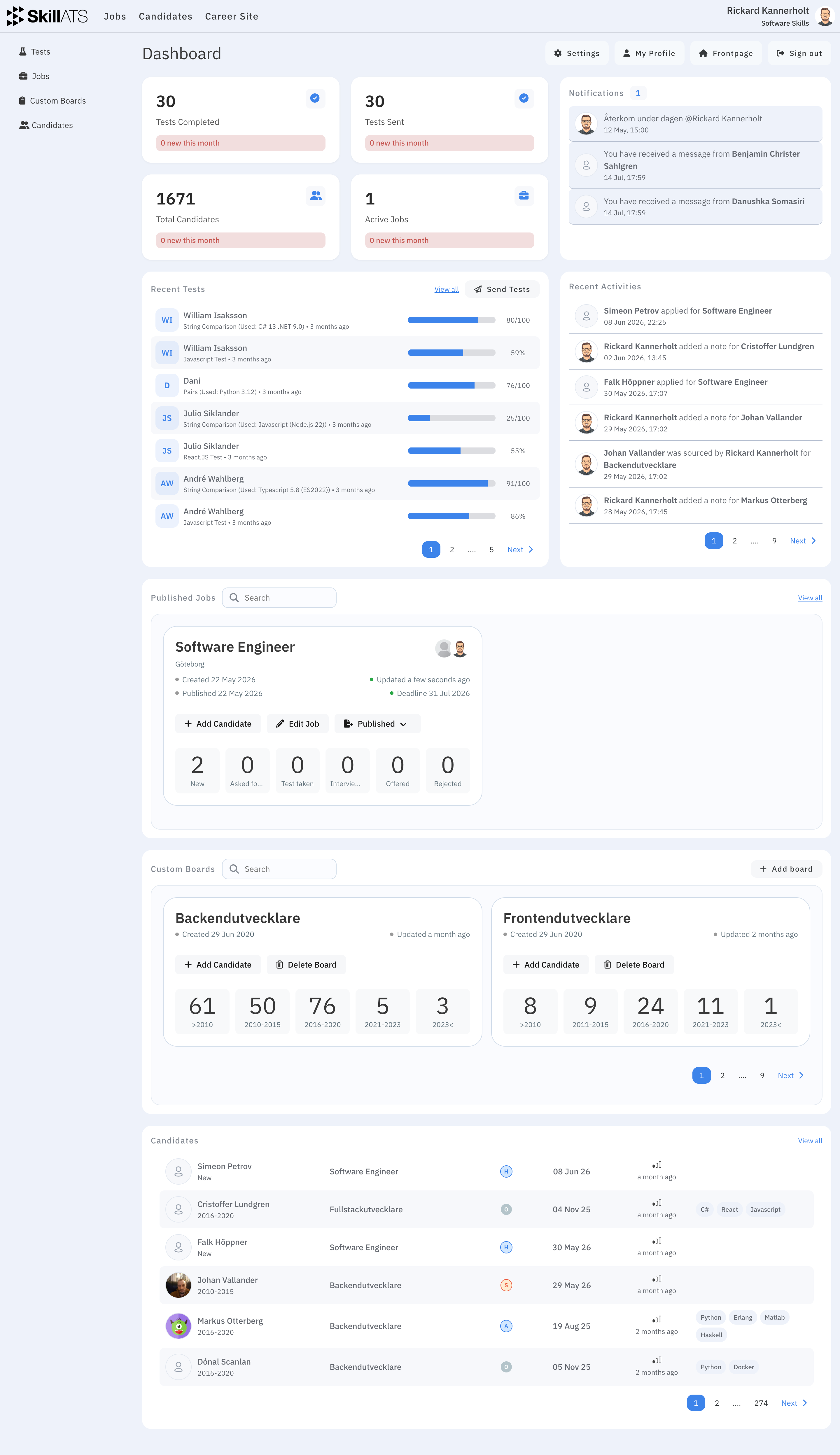
Your dashboard is the home screen after you log in. It gives a quick view of hiring activity and shortcuts into the rest of SkillATS.
What you’ll see
Depending on your company, the dashboard may show:
- Recent or active jobs
- Recent candidates and hiring activity
- Custom boards for your pipelines
- Notifications or activity updates
- Links to Settings, Profile, and your career site
Quick actions
| I want to… | Do this |
|---|---|
| Work with jobs | Open Jobs in the top menu |
| Browse candidates | Open Candidates in the top menu |
| Edit company setup | Open Settings |
| Edit my details or AAA | Open Profile |
| Change the career site | Open Career Site in the top menu |
| Create a custom board | In Custom Boards, click Add board |
Custom boards are pipelines without a job — useful for projects or talent pools. See Custom boards. Job pipelines are covered under The hiring board.
Tip
Click the SkillATS logo anytime to return to the dashboard.